Often you run many services on your LAN, and when you need to reach them from outside you usually do it with port forwarding. Here I use Cloudflare Tunnel instead — no port forwarding on the router is needed, and you can add two-factor authentication via Email OTP, which improves both convenience and security.
It works for a NAS, a Git server, a Virtual Machine Manager, and more on your LAN.
Gitea
Gitea is much lighter than GitLab. Using mirroring to back up projects on GitHub that might disappear at any time is very handy.
For installing with docker, see https://docs.gitea.io/en-us/install-with-docker/.
Here are some config options I personally use:
- Let gitea search code easily
[indexer]
REPO_INDEXER_ENABLED = true
- Customize the URL and listen port shown on the page. For the landing page, if the visitor isn’t logged in you can point them straight to the login page on open, instead of Gitea’s home page.
[server]
PROTOCOL         = https
DOMAIN           = git.test.tw
SSH_DOMAIN       = git-ssh.test.tw
SSH_LISTEN_PORT  = 11022
HTTP_PORT        = 3000
ROOT_URL         = https://git.test.tw
ENABLE_GZIP      = true
LANDING_PAGE     = login
- Remove the footer info, version and load time from the page
[other]
SHOW_FOOTER_BRANDING = false
SHOW_FOOTER_VERSION = false
SHOW_FOOTER_TEMPLATE_LOAD_TIME = false
For detailed settings see the Gitea Configuration Cheat Sheet and customize as you like.
Setup Cloudflare Tunnel
Run Cloudflared Service
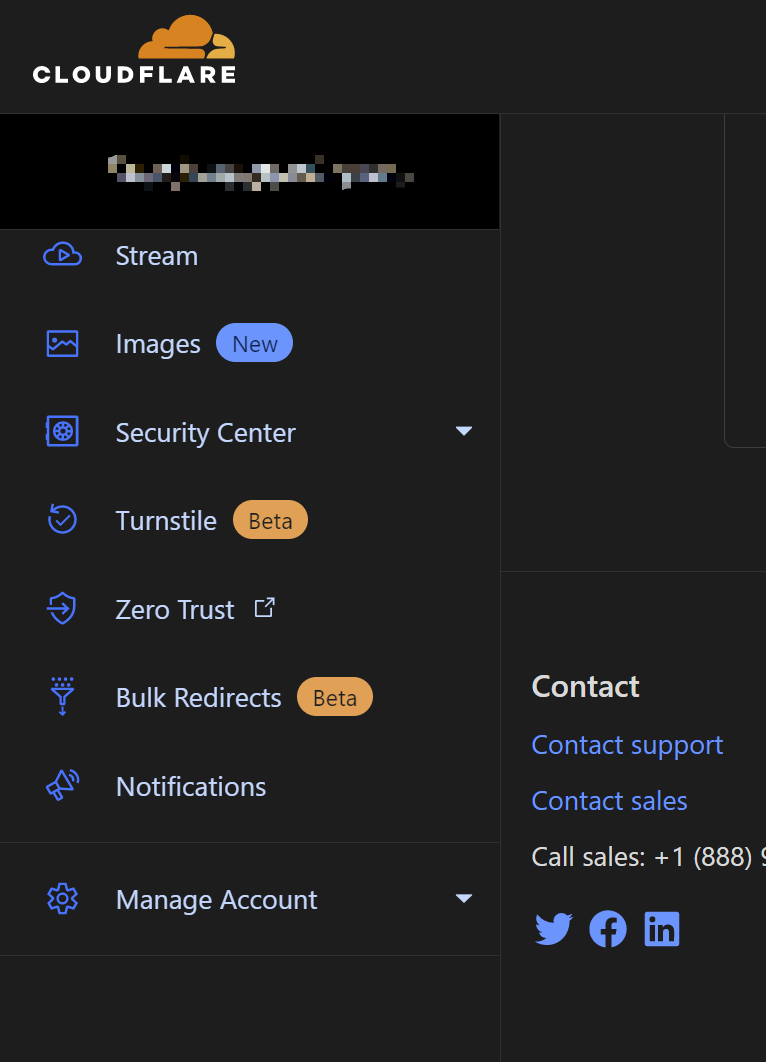
First you need a domain hosted on Cloudflare. Find Zero Trust in the sidebar.
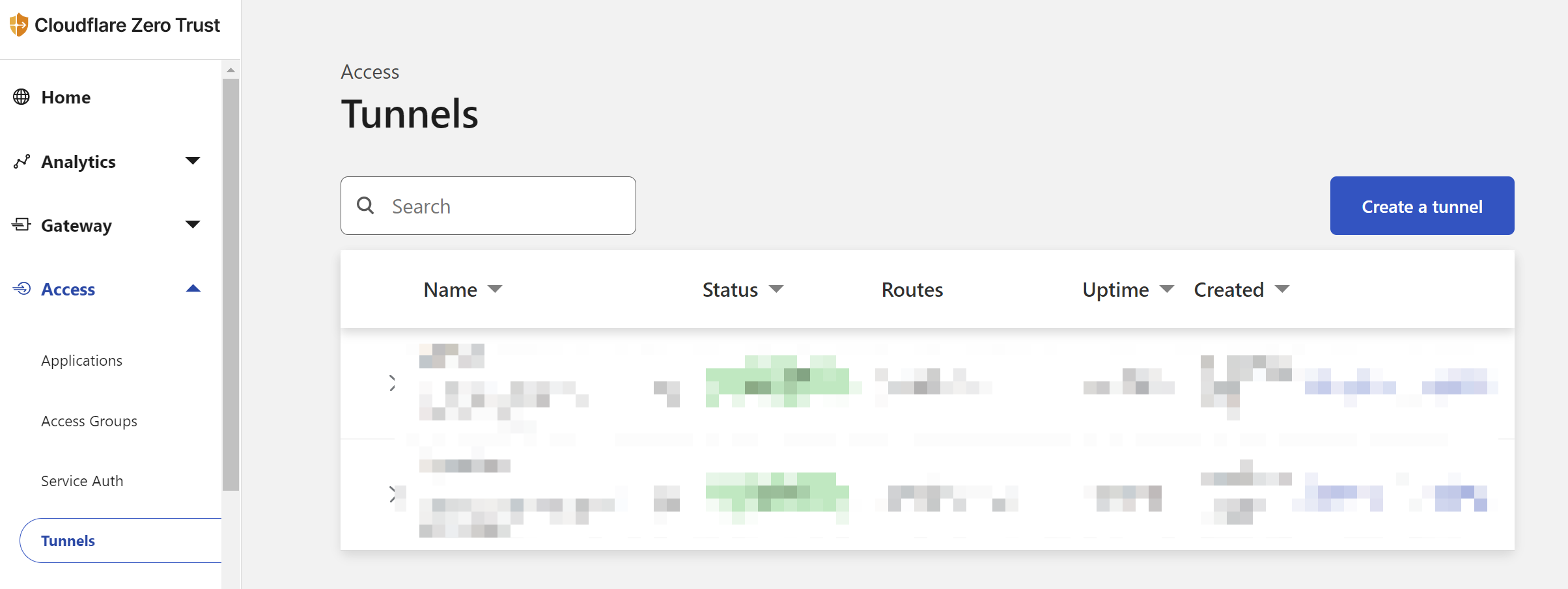
Once opened, find Tunnel.
After naming it, you can choose the platform on which to run the tunnel service. I like running it on docker — just paste the command, and you can add --restart=always and -d flags as you prefer.
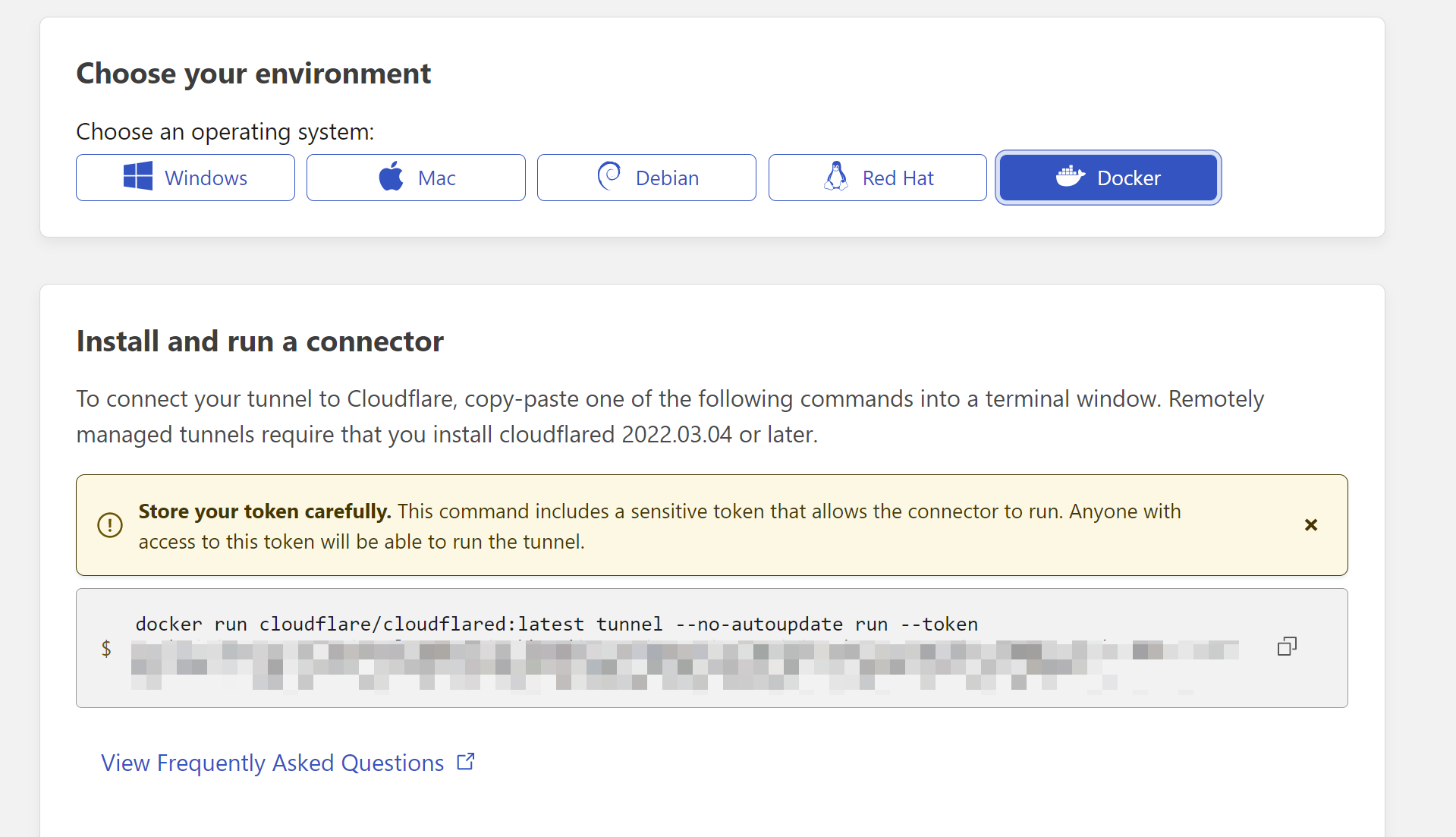
docker run --restart=always -d cloudflare/cloudflared:latest tunnel --no-autoupdate run --token [your_token_here]
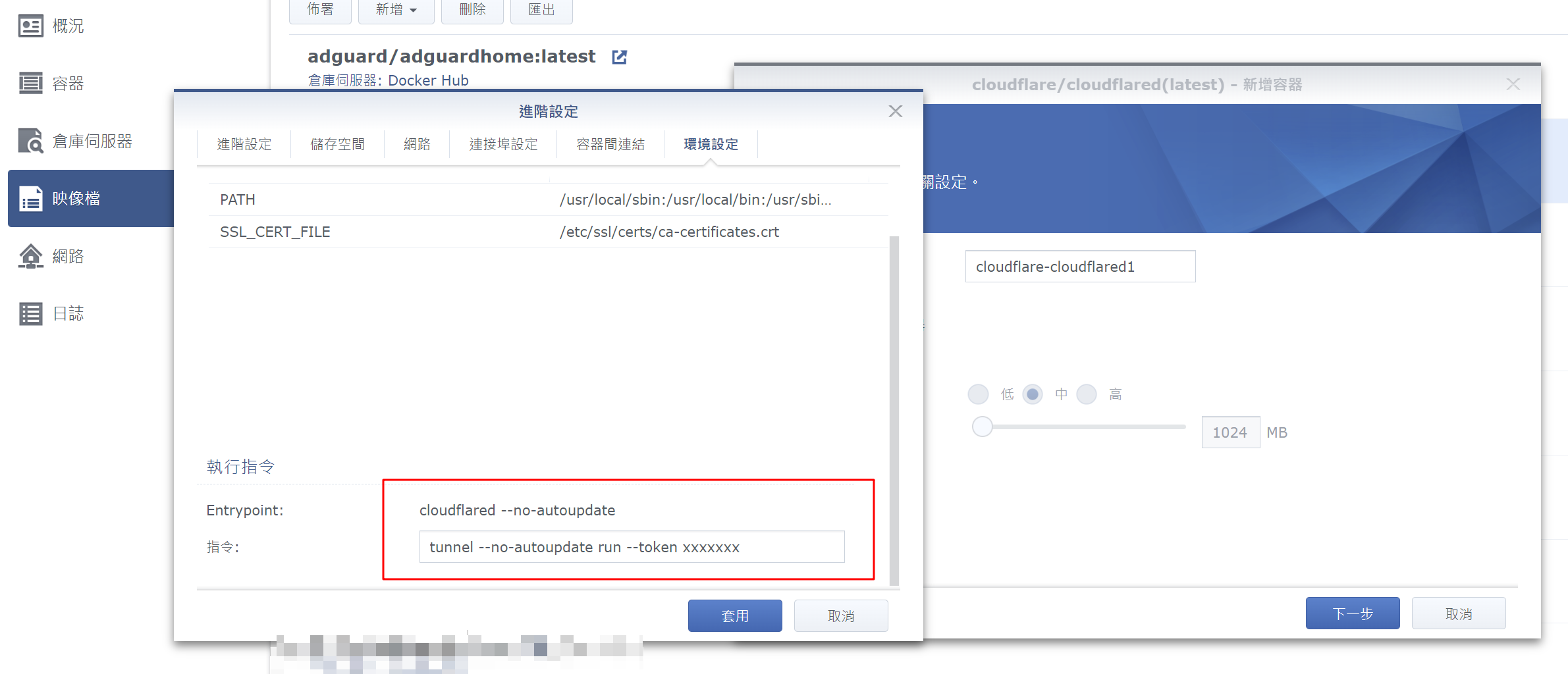
For synology, you can specify the command in the advanced settings — just paste in the string after the image.
If it succeeds, you should see the Status on the Tunnels page turn a green ACTIVE.
Add Tunnel
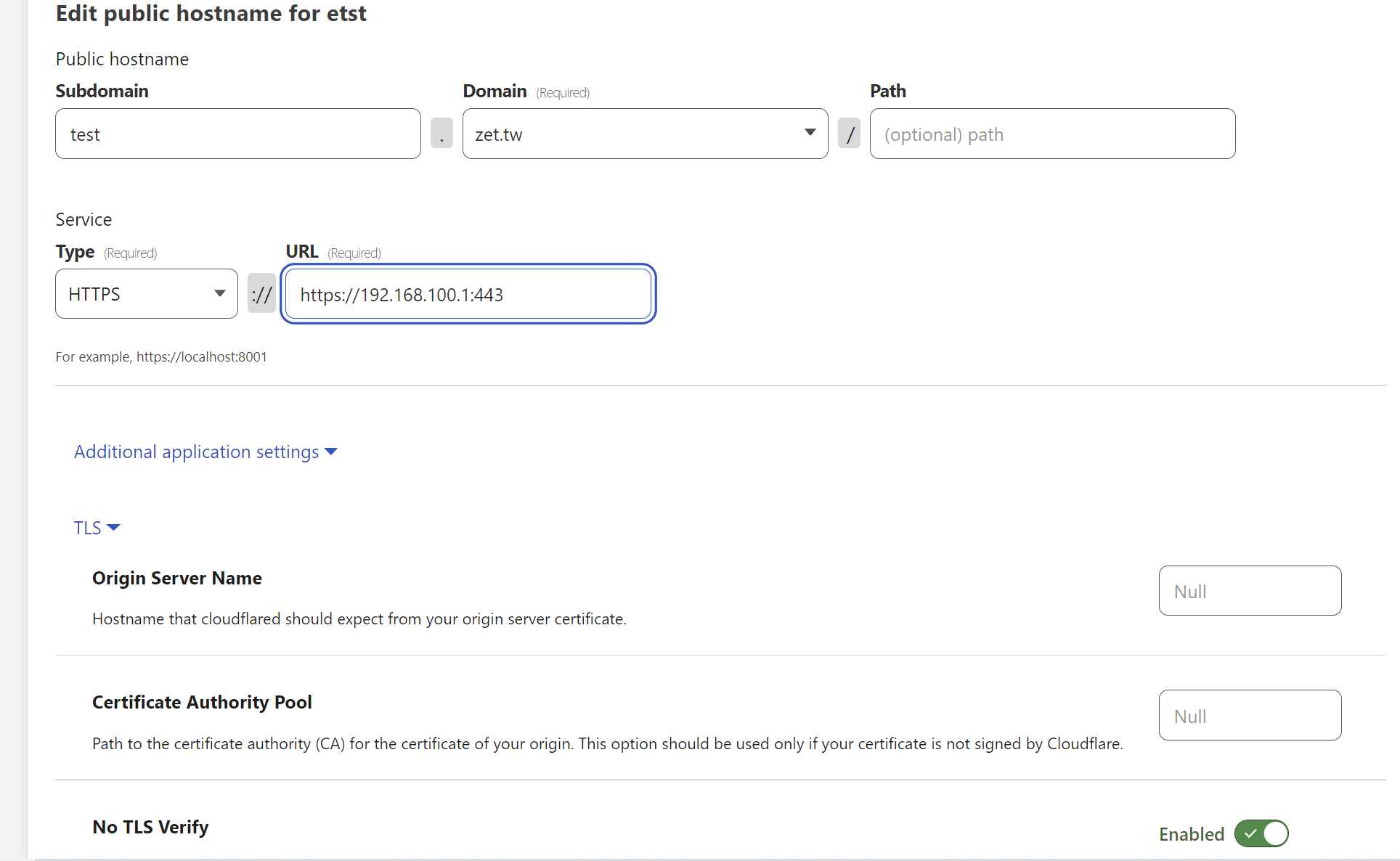
Fill in the subdomain and pick which service to forward below. There are many protocols to choose from, e.g. https, http, ssh, RDP; the URL after it takes the internal host and port.
If you want to
git ssh clone, choose SSH as the protocol and follow it with ip:port.
Note: if you have a private HTTPS certificate, you can select No TLS Verify so Cloudflare Tunnel can connect smoothly.
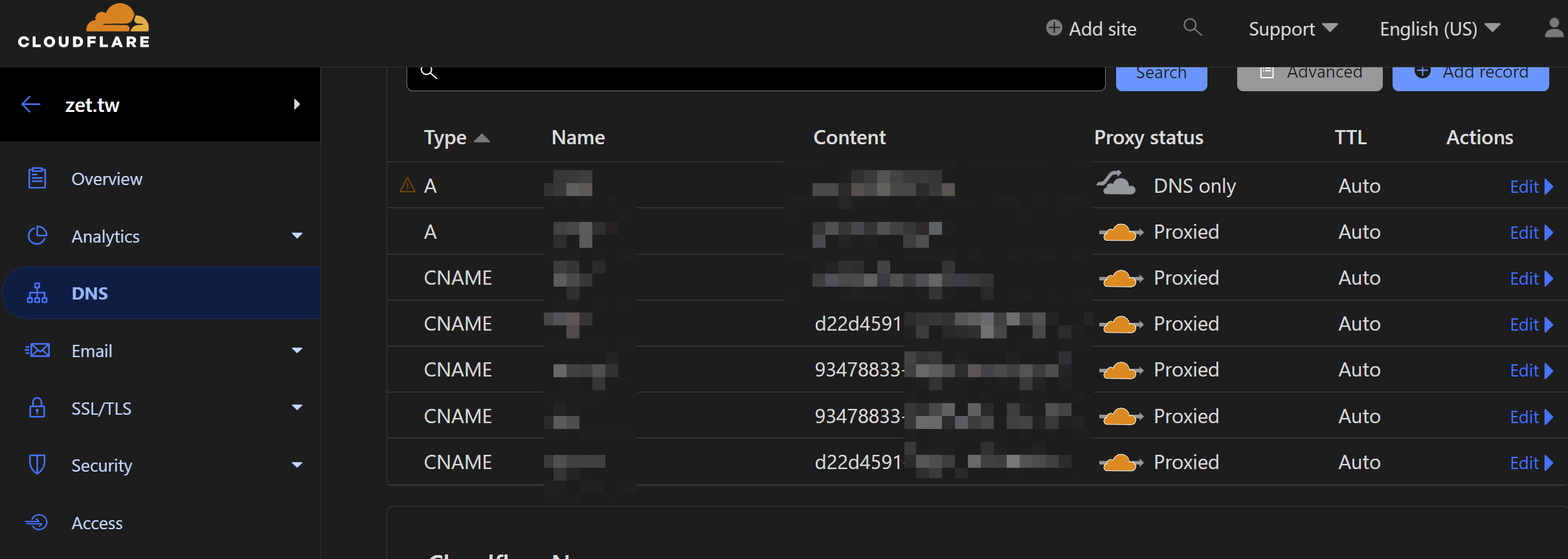
Once added successfully, you should see a CNAME automatically added to the domain’s DNS.
At this point just try connecting and it should work.
Auth
Some services may be inconvenient with Auth attached, so adjust as you see fit. I haven’t tested Gitea’s web with it — you can experiment; I’m not sure whether https clone will have issues.
With the setup above, http/https services are now reachable from outside. If you want to add another layer of protection, you can use the Access - Application feature: add a Self-hosted Application and set the subdomain.
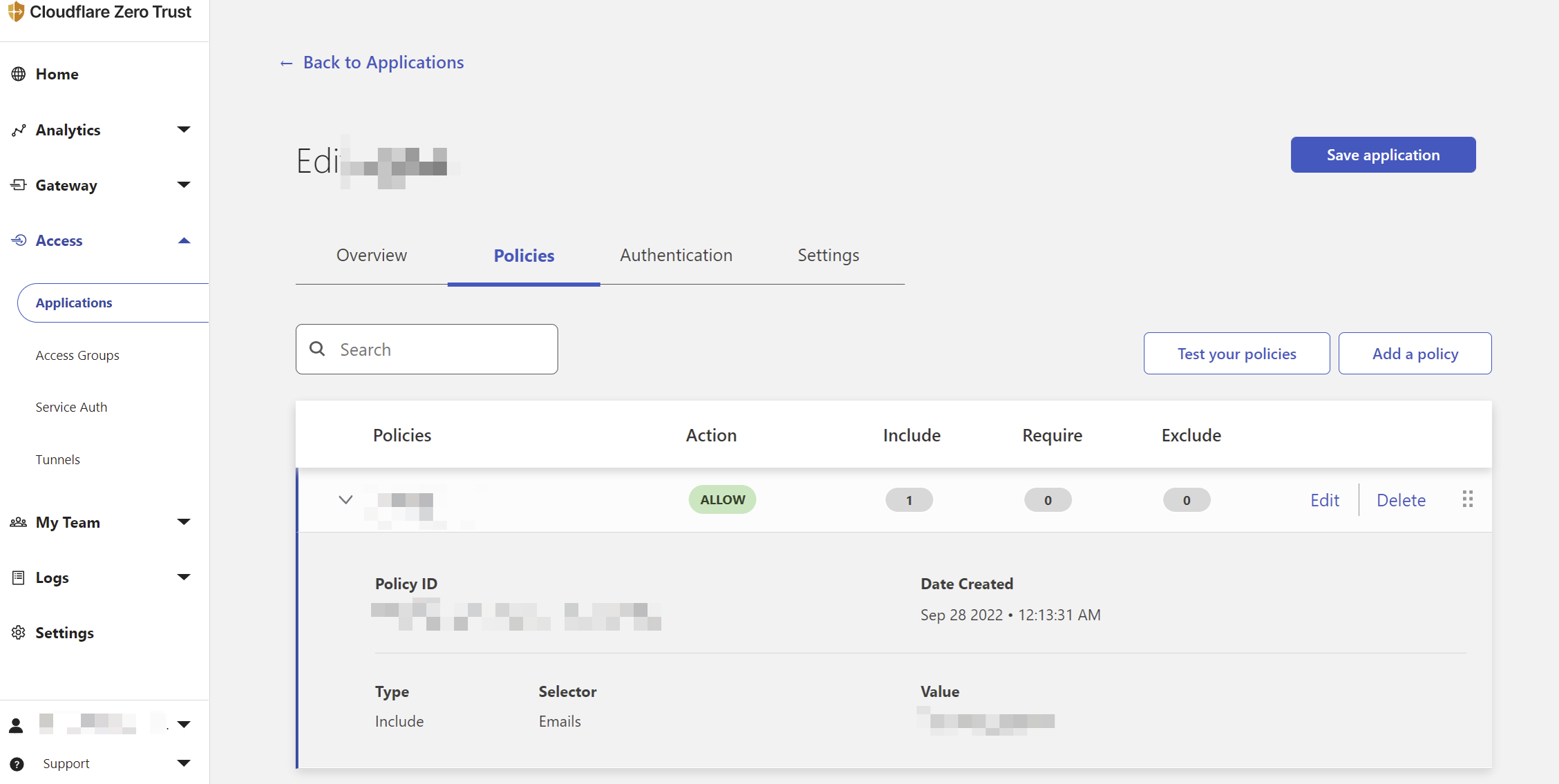
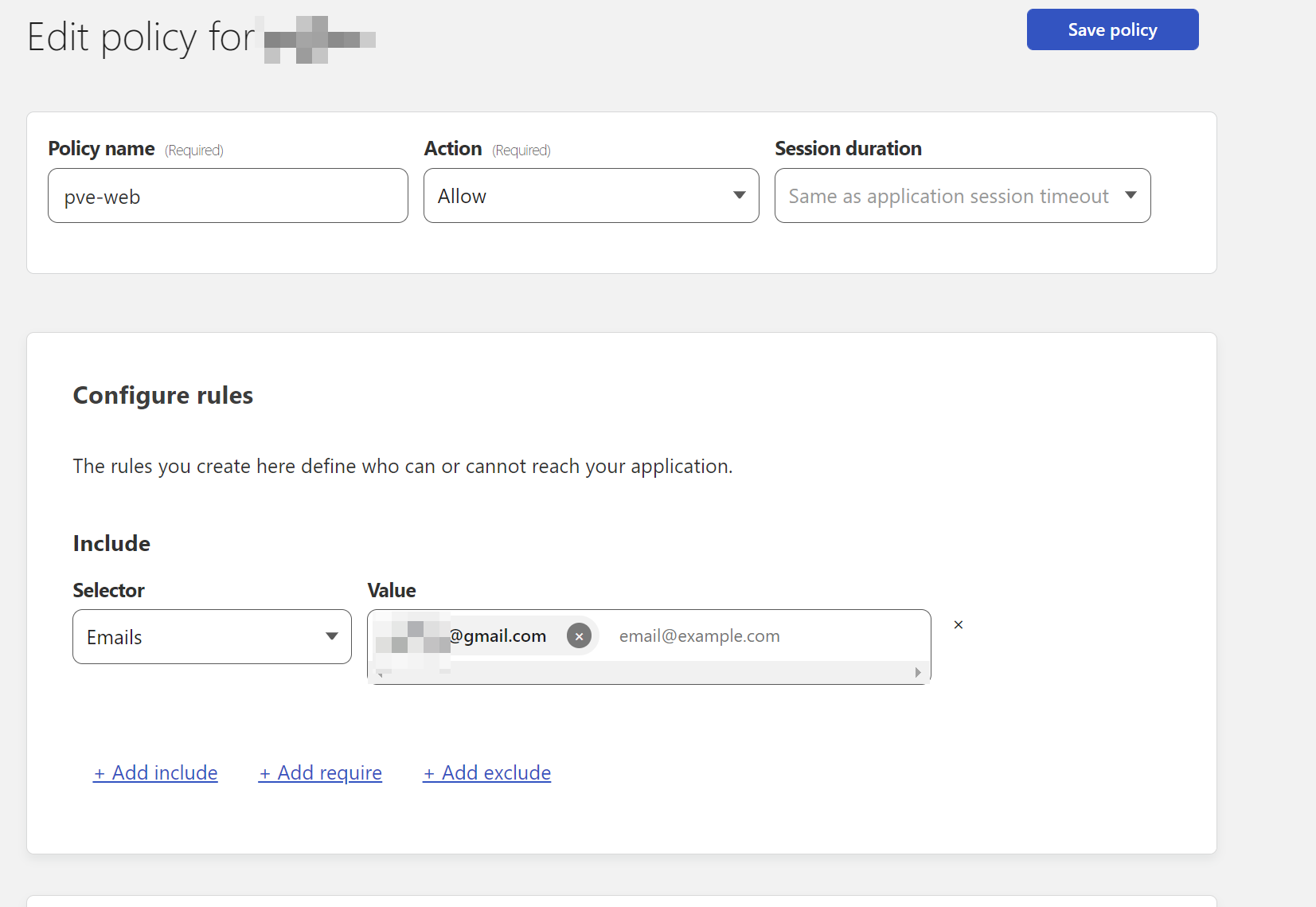
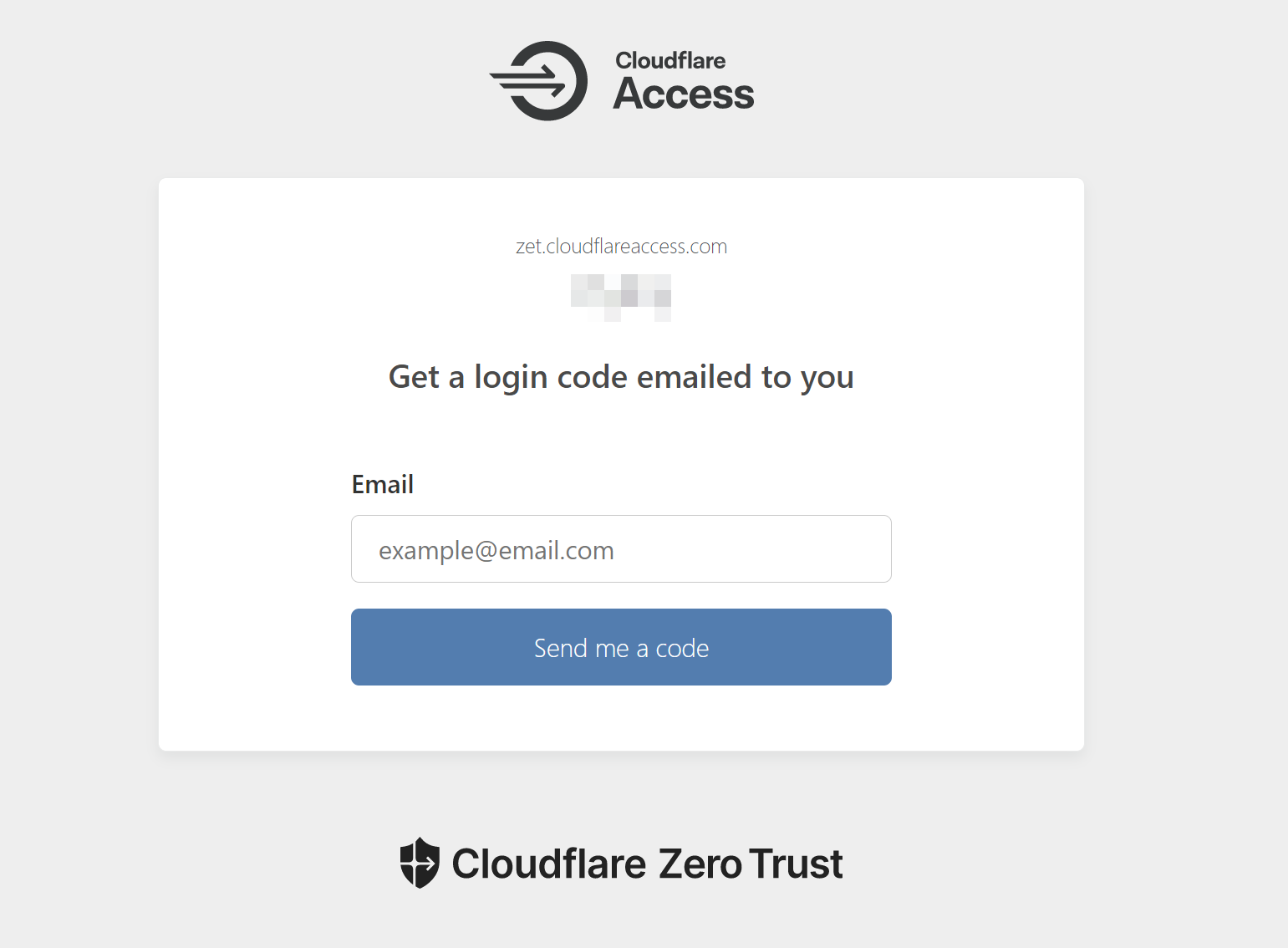
Then add a policy. Under Configure rules you can add the rules you want within this application’s scope (subdomain). Choosing email will prompt you for an OTP on the verification page before you can log in; there are also IP range, Country and Token methods — lots of ways to freely combine rules.
Finally, when you access it, you should see the page asking for email authentication.
Git ssh
After the tunnel setup, going into Gitea you should see a clean clone address:
via https
https://git.test.tw/mirror/Windows-Exploit-Suggester.git

via ssh
[email protected]:mirror/Windows-Exploit-Suggester.git
No more ugly IPs or port numbers.
Note that because SSH is being forwarded, you need some extra config in your local ssh config. On the client machine, install cloudflared, which you can install easily with homebrew or scoop.
Edit ~/.ssh/config in your home directory and add a ProxyCommand that chains to cloudflared; then ssh clone will work normally:
Host git.test.com
  ProxyCommand cloudflared access ssh --hostname %h
If you hit snags along the way, you can also refer to Cloudflare’s official docs Zero Trust GitLab SSH & HTTP
In The End
Cloudflare Tunnel can forward many internal services without opening port forwarding — a great thing. Paired with the Zero Trust concept to protect your assets, important services on your home NAS can be both protected and conveniently accessible.
There are tons more ways to use it, such as opening a web terminal to access an internal SSH service. See the YouTube video HOW TO: Remote access a Raspberry Pi using a Cloudflare tunnel (node-red and ssh).