shell & terminal
The new Windows Terminal and the original Windows console host, all in the same place!
PowerShell 7 is much friendlier than the old version. For a terminal, go with Windows Terminal — it’s probably the best option right now. On macOS you can try Alacritty, which supports GPU acceleration and is much faster than iTerm.
scoop install pwsh
You can customize some common commands in the PowerShell profile:
Set-Alias vim nvim
Set-Alias cat bat
Set-Alias grep rg

Set-Alias ls lsd_func
function lsd_func { lsd --classic $args }

function ip { curl -s  https://api.myip.com | jq }
starship prompt
The minimal, blazing-fast, and infinitely customizable prompt for any shell!
Starship is a cross-platform prompt that works with zsh/bash on Linux and PowerShell on Windows alike — configure it once and forget about it. It includes many modules (git, battery, time) and is written in Rust, so just install it.
Install:
scoop install starship
Edit the PowerShell profile — if you have VS Code you can open it directly, or use notepad:
code $PROFILE
notepad $PROFILE
Add:
Invoke-Expression (&starship init powershell)
Create a starship.toml config file in the .config folder in your home directory.
It supports quite a few modules; see the starship configuration:
format = """
$username\
$hostname\
$directory\
$git_branch\
$git_commit\
$git_state\
$git_metrics\
$git_status\
$fill\
$c\
$cmake\
$golang\
$python\
$time\
$line_break\
$character"""

[character]
success_symbol = "[\\$](bold green)"

[username]
format = "[$user]($style)@"

[hostname]
style = "bold yellow"
ssh_only = false
format = "[$ssh_symbol$hostname]($style):"

[fill]
symbol = " "

[package]
disabled = true

[python]
symbol = " "

[git_branch]
symbol = " "

[golang]
symbol = " "

[c]
symbol = " "
font
I recommend downloading a font you like from nerdfonts.com; they support various extra special symbols. As for the many files you get in the download, see the FAQ-and-Troubleshooting for some answers.
zoxide
A smarter cd command. Supports all major shells.
zoxide works with PowerShell — add it to the profile, and remember to place it after Starship to avoid conflicts:
Invoke-Expression (& {
    $hook = if ($PSVersionTable.PSVersion.Major -lt 6) { 'prompt' } else { 'pwd' }
    (zoxide init --hook $hook powershell | Out-String)
})
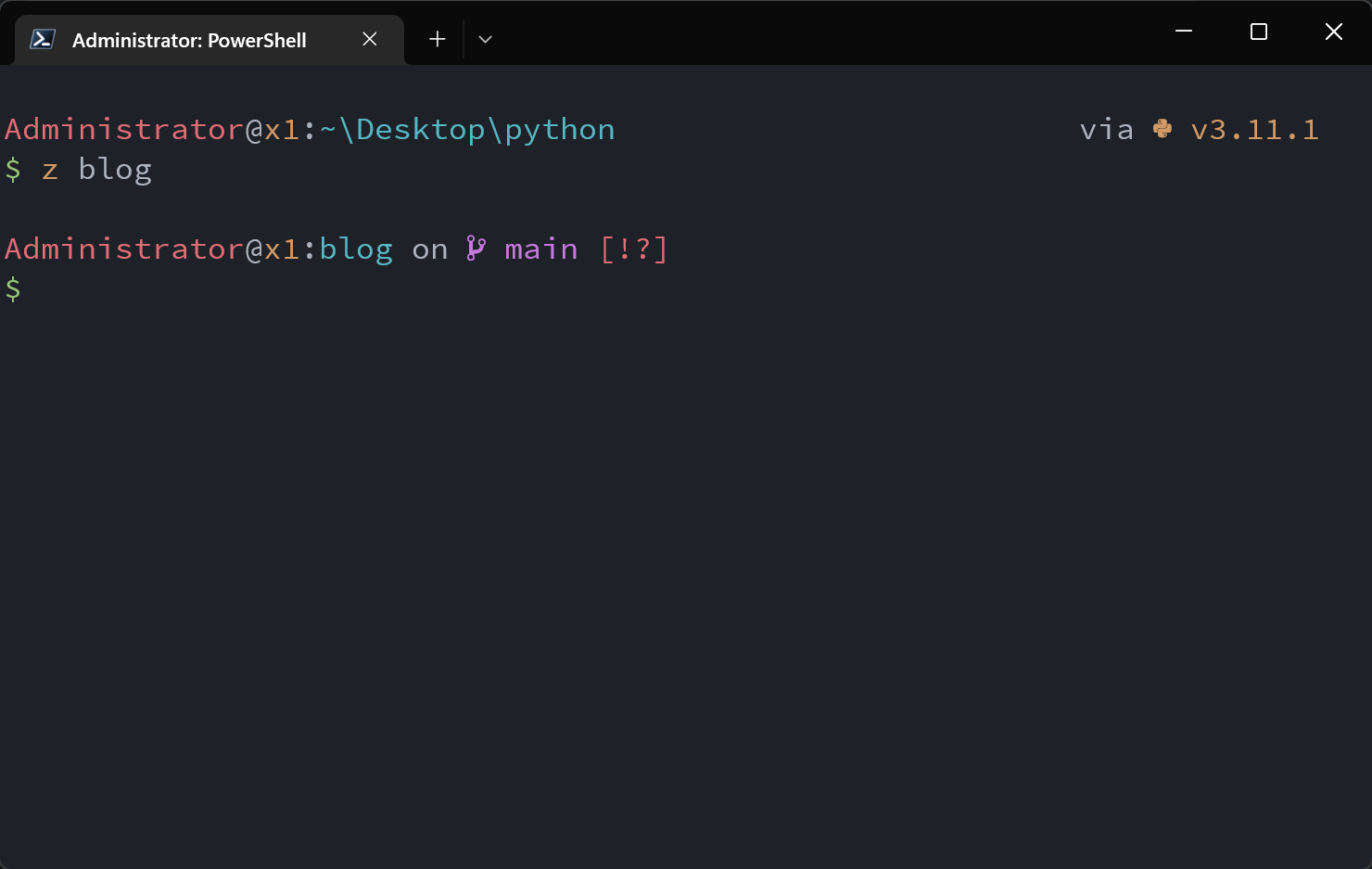
Finally, a look at the terminal: